
Owli-AI Way-Buddy
Detects walkable paths and gives acoustic direction cues directly on your smartphone.
Digital orientation aid for safer routes in daily life.
Notice: this page was machine-translated and is pending editorial review.
Quick overview
- Helps with
- Detects walkable paths and gives acoustic direction cues directly on your smartphone.
- How to use it
- Open the app, choose the relevant function, and use the on-screen or speech output guidance.
- Good to know
- Assistive features can help, but they do not replace personal checks in important or safety-critical situations.
Core features
-
Walkable path detection
The app analyzes the camera image and detects areas classified as safe to walk.
-
Real-time direction estimation
A recommended movement direction is calculated from the detected walkable area.
-
Acoustic stereo feedback
A left/right differentiated audio signal gives guidance for the optimal movement direction.
-
On-device processing
Image analysis runs directly on the smartphone and no camera images are sent to servers.
-
Training mode for data collection
Optionally, image and mask data can be stored locally to generate training data for model improvements.
-
Development and analysis mode
Visualizations and debug information provide transparent insight into model predictions.
Privacy
Operating mode: Hybrid
Image processing runs fully on-device. No camera data is transferred to external servers.
In short
- Some processing runs locally on the device.
- Optional features may store data or use cloud services later.
- Check the details before testing sensitive situations.
Stored training data remains local on your smartphone.
Install directly on Android
Install the app from Google Play or scan the QR code if you are viewing this page on a desktop computer.

Open it quickly on your phone
Scan the QR code with your phone to open the store page directly.
System requirements
- Android 10 or newer
- Camera access
- Optional internet for future cloud features
Details and usage
Who is Owli-AI Way-Buddy for?
Owli-AI Way-Buddy is designed for blind and visually impaired people who need additional orientation support while walking outdoors. The app does not replace a white cane or guide dog, but can serve as an additional digital aid.
If you are looking for an orientation app that can detect walkable paths, Way-Buddy gives you clear real-time direction cues. Navigation support for visual impairment is delivered through precise audio feedback and is intended as additional help in daily life.
What does the app do?
Way-Buddy analyzes your smartphone’s live camera image and detects walkable surfaces such as sidewalks or free space ahead of you. From this information, it calculates a recommended movement direction.
Instead of visual hints, you receive acoustic feedback:
- A differentiated stereo signal indicates whether you should orient more to the left or right.
- Tone intensity or position provides additional direction cues.
How Way-Buddy works
-
Point the camera
The smartphone is pointed forward so the area in front of you is captured. -
Scene segmentation
A trained neural network detects walkable surfaces in the camera image. -
Direction calculation
A stable movement direction is derived from the detected walkable area. -
Acoustic feedback
Through headphones or speaker, you receive a left/right differentiated orientation signal.
Training and development mode
Way-Buddy also includes a training mode where image and mask data can be stored locally. This data is used to further develop and improve the underlying models.
A development mode visualizes model predictions directly on screen and makes system behavior transparent.
Privacy and processing
Image processing runs fully on-device. No camera data is transferred to external servers. Stored training data remains local on your smartphone.
Media gallery
-
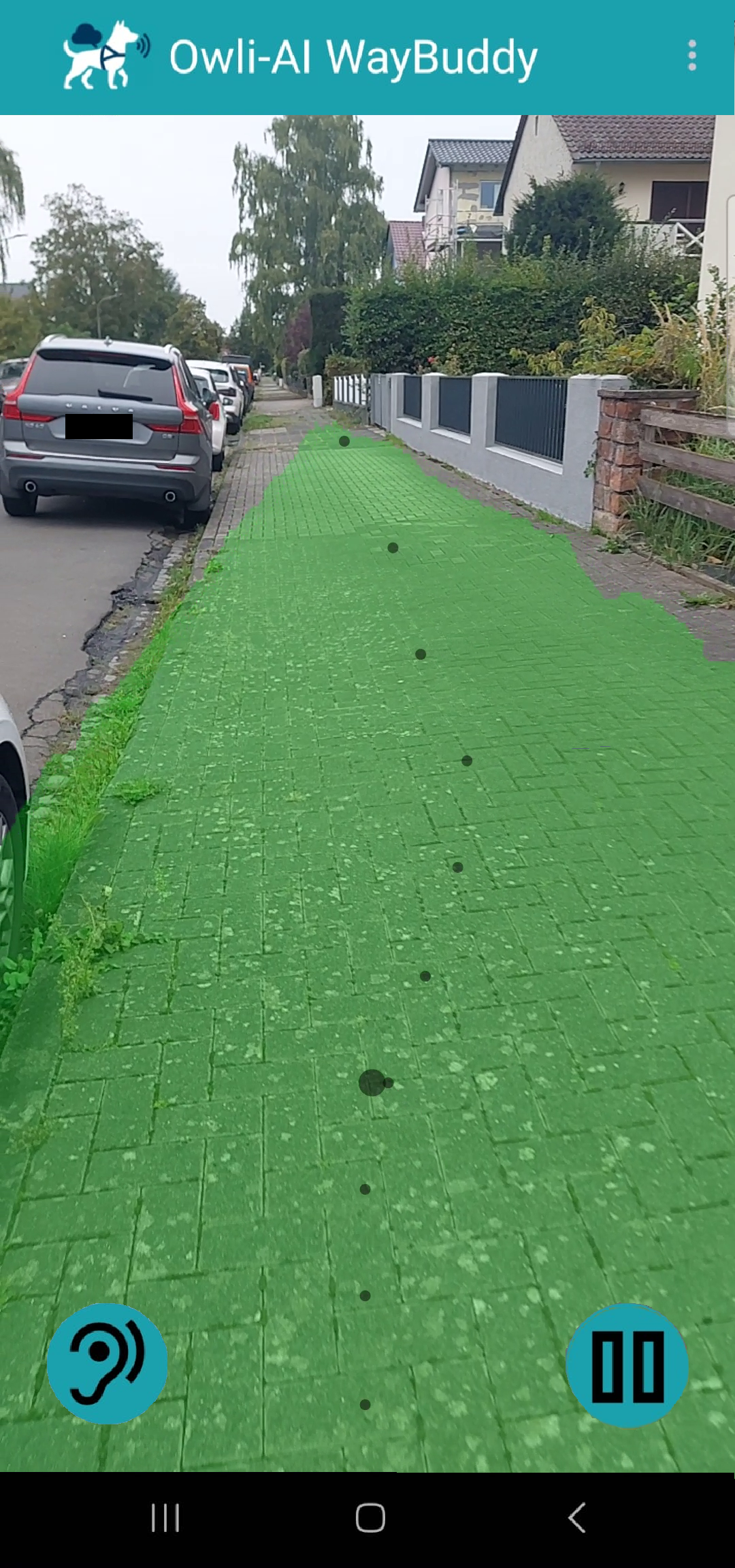
Live detection of a walkable sidewalk -
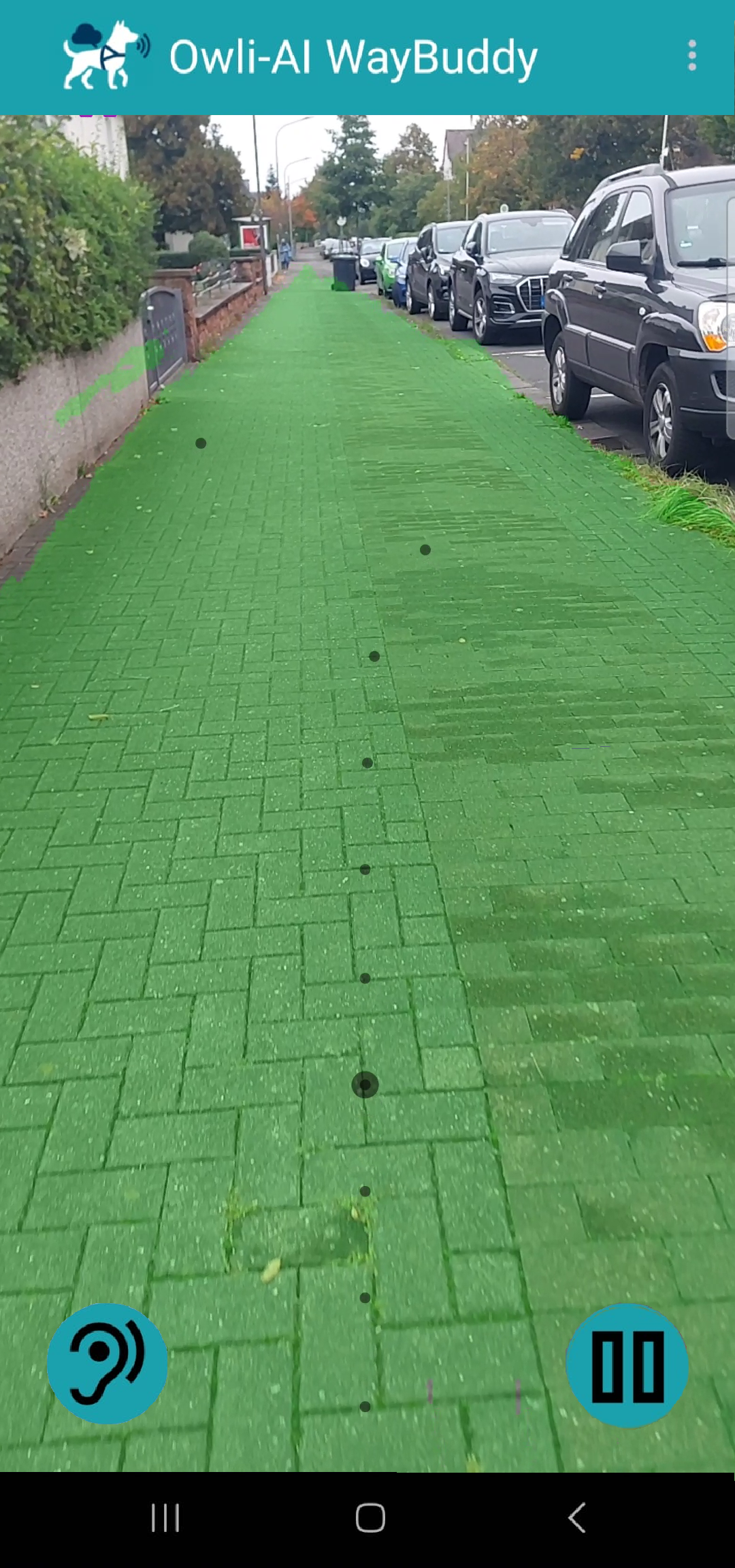
Direction guidance on a straight sidewalk -
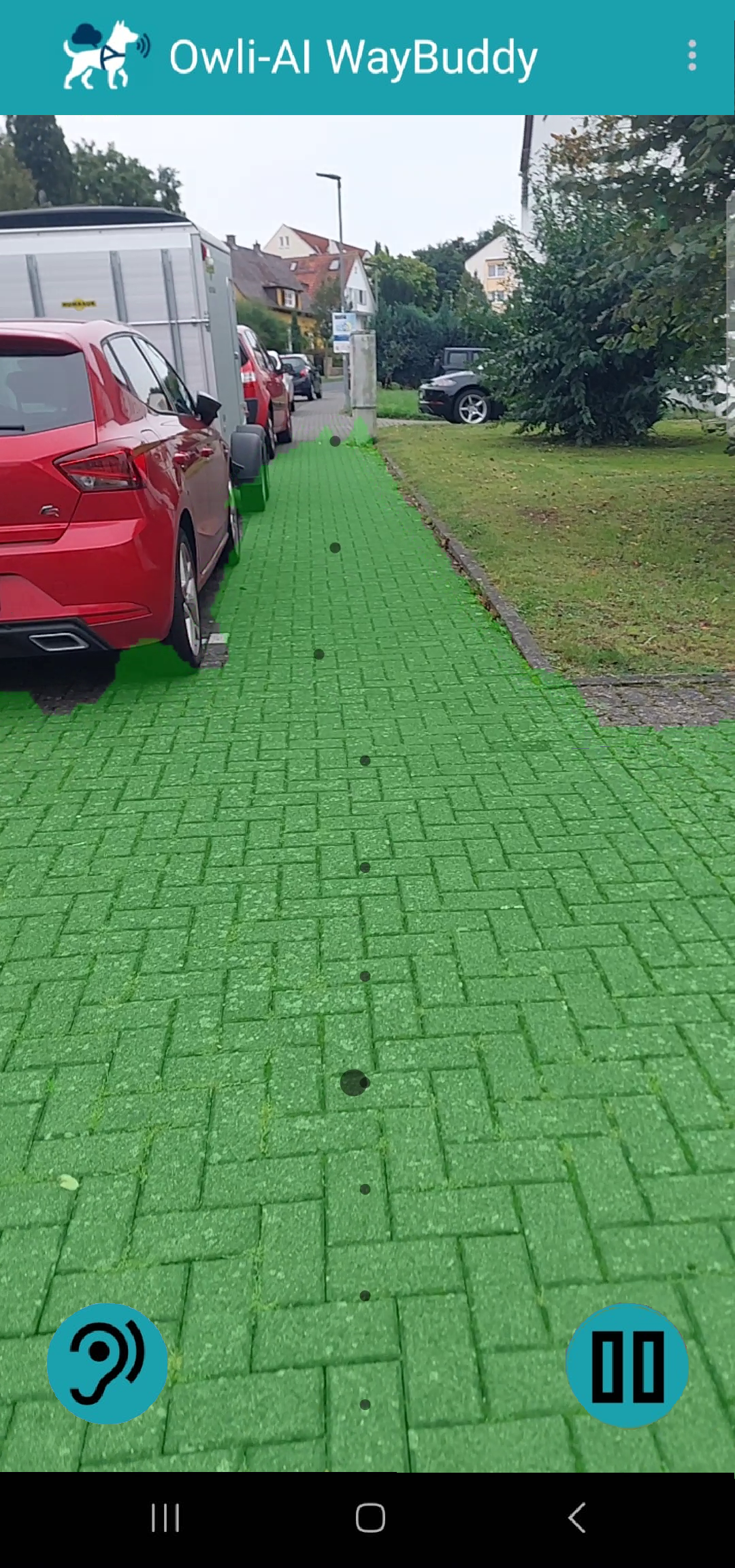
Path detection in a narrower passage -
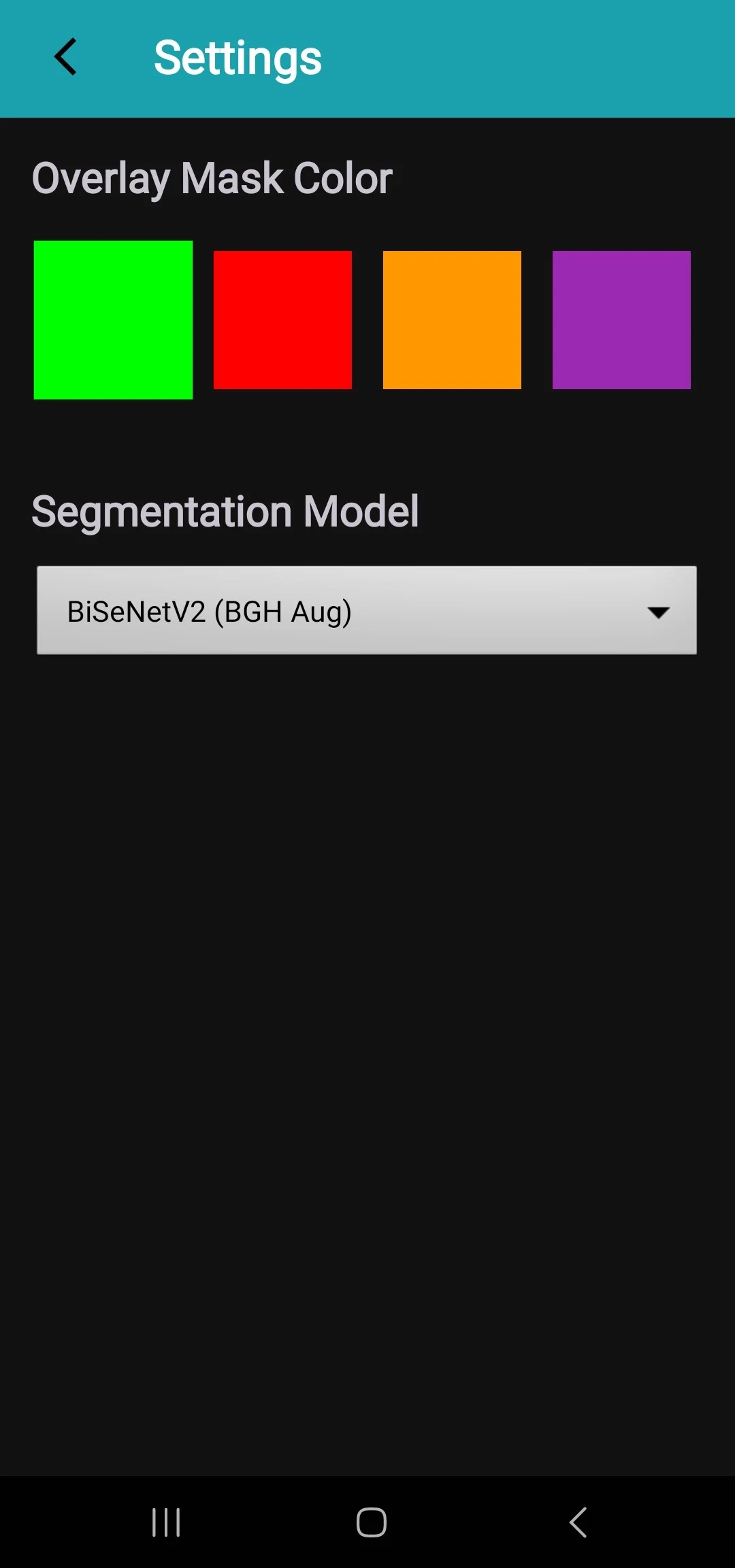
Settings for overlay color and model selection
Next step
Store release, trial access, questions, or partnership: we respond in a structured and timely way.